Browse / TumbleRig · for Houdini

TumbleRig

Rig and animate characters in Houdini with APEX nodes you wire together, and tools that live in the viewport.

With TumbleTrove Desktop, as a manual download, or with HPM.
Houdini
22.0+
Access
Free, paid features
Systems
Windows, Linux, macOS

What you can do with TumbleRig

Build skeleton and shapes, right in APEX

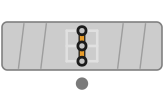
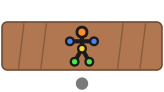
Apex Skeleton: a skeleton builder in Animate. Click to add joints, J, B and S for joints, bones and the shape on every bone, M to mirror an arm and a leg across. IK Chains: IK on both arms and legs with a matched FK/IK switch (I). Inverse Foot: heel, ball and toe pivots. Apex Blendshapes: a shapes table with sliders, in-betweens and combos.

11 recipes to open in Houdini

GPU cache pipeline

The CUDA deformers hand the mesh to each other on the GPU: each one registers its output positions in a shared GPU cache, and the next copies them device to device, with no copy at all when nothing changed. A chain of deformers uploads the mesh to the GPU once per frame instead of at every node, for faster playback. Joint Capture, Bone Deform (Linear Blend or Dual Quaternion), Blendshapes, Lattice, Delta Mush, Shrinkwrap and Wrap run in that chain.

Deformers, masks and animatable attributes

GPU deformers inside the rig, all on the GPU cache pipeline and evaluated every frame: Lattice, Peak, Smooth, Push, Wrinkles, Solidify, Shrinkwrap, Boolean and Remesh. One 0-1 point mask for all of them: painted, from wired-in geometry with a falloff, or a Mask Primitives stack of plane, box, sphere and near-joint shapes, each a control with keyable falloff, strength and invert. Attrib Math and Distance Mask: attributes computed live from the pose.

18 recipes to open in Houdini
Coming soon

Facial rigging system

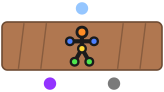
A full face rig from part nodes: Jaw Rig, Mouth Rig, Eye Rig and Brow Rig, put together by the Facial Rigger. Each part starts with joint placement in the viewport, or points at joints you already have. Its mask comes from markers on the skin: a percentage on every marker and a falloff on every line between them, filled over the skin or through the head so the teeth and tongue get the same mask. Markers two parts share are placed once: the jaw and the lips use the same lip markers, and the lids have an inner and an outer loop.

9 recipes to open in Houdini
In TumbleRig today
  • Eye Rig and Apex Pupil
  • Brow Rig
  • Zipper

Blendshapes, shape editor and Apex Joysticks

Apex Blendshapes: a shapes table with sliders, in-betweens and combos. Sculpt on a Shapes row takes out the skin with the shape so far, and the sculpt goes back in as the shape or as an in-between. Apex Joysticks: a face board of sticks clamped to -1..1, each giving left, right, up and down weights for blendshape channels or any port. Apex PSD fades correctives in from joint poses or a stick, by RBF, Cone or Linear.

Live Record

Performance capture in Animate: Shift+R, a count-in, then drag a control while the timeline plays and the move becomes keys. Each take is its own animation layer to mute, solo or weight, or to record into again. Smooth, Simplify, Holdify, and Hard start and stop clean a take, in Scene Animate inside the shot too.

Procedural animation

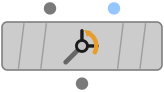
Apex Temporal reads a control's last frames and drives the rig with them: lag, spring, rolling by distance, a squash on landing, follow-the-leader. Foot Plant steps the feet from the body's motion in Biped, Run, Trot, Pace, Bound, Hop or Tripod gaits. Motion Effects adds lag and jiggle per chain after IK, Rig Noise adds breathing, sway, tremor and handheld, Loop Animation repeats a cycle as real keys, and Animation Filters adds holds, arcs and bounce on a layer.

33 recipes to open in Houdini
  • Foot Plant
  • Motion Effects
  • Rig Noise
  • Loop Animation
Rig Signals: audio and channels into the rig
Coming soon

Rig Signals: audio and channels into the rig

Signal In turns an audio file into curves: loudness, bass, mids, highs and beats. Set Driven Keys takes a Signal as its driver, so a curve moves a control, a slider or a blendshape. Channel Filters adds CHOP-style filters, with Smooth, Holdify and Bouncify, to signals and to keys, and the Signal Viewer pane shows and edits every curve.

    Cinematic Camera

    Apex Camera for Scene Animate: track and crane, a self-levelling pan, tilt and roll head, aim and focus targets, a keyable lens, and a panel of joysticks for pan, tilt, truck, pedestal and dolly. Camera Moves: shake presets from Subtle to Impact, and lag or spring on the camera body.

    12 recipes to open in Houdini
    • A chase on a rail
    • Dolly zoom
    • Handheld over the shoulder
    • A camera with weight

    Crowds in APEX

    Apex Crowd: walk, run and idle clips keyed once and played per point with its own offset, speed and scale. Walk-to-run blending in phase (Match Phase), re-keyed clips on every agent, and hero promotion with the clips turned into keys.

    5 recipes to open in Houdini

    Vehicles

    Wheel roll by distance travelled, backwards too, with the radius measured from the skin. Apex Vehicle: four-wheel steering from one control with the inner wheel turning further, and body pitch, lean and bounce. Casters, scooters, springs and crank-driven pistons.

    7 recipes to open in Houdini

    Collisions

    Sphere and chain colliders on joints, pushed apart along the line between their centres and kept out of floors, boxes and other colliders. Move Around Parent for eyes on a head; Rotate Parent for a foot rolling onto a step.

    6 recipes to open in Houdini

    Karma USD procedural for APEX graphs

    Apex Procedural: a USD procedural that runs an APEX graph, a TumbleRig chain, at render time in Karma. A light driver mesh deforms the high-res mesh through Apex Wrap, no deformed caches are written to disk, and Motion Samples evaluates the graph across the shutter for deformation motion blur.

    Getting started

    12:45
    Rigging · 12:45Getting Started With TumbleRigBuild and rig a character from an empty scene, node by node.

    Tools in TumbleRig

    25 tools.

    Every node in TumbleRig

    143 nodes.

    Deformation22

    Constraints & Drivers17

    Camera5

    Shapes3

    Rig Building13

    Utilities15

    Attributes7

    Capture7

    Rig Tools13

    Skeleton11

    Example characters3

    Verbs27

    Recipes in TumbleRig

    110 recipes to open in Houdini.

    All recipes

    Release notes

    Every version of TumbleRig, with what is new in it and what to know before you upgrade.

    All release notes

    Questions

    Do you need TumbleTrove Desktop, what runs it and what is free: the FAQ answers them.

    Explore the Trove