Apex Primitives
Spheres, boxes, capsules, cylinders, cones, tori, planes and tubes, each on its own control, sized live in Animate.
- Access
- Free
- Node version
- 1.7
- Package
- TumbleRig
- Houdini
- 22.0+
Overview
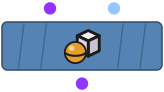
Every row adds one primitive to the rig: a control and the shape it carries. The shapes leave the node as one packed shape, Primitives.shp (Output Shape), so other nodes can use them: Boolean picks a cutter, Transfer Attribute a source, by the row's Groups. Base.shp is left alone unless Use as Body is on.
Use them to block out a layout that already has a rig, as proxy body parts on joints (Reach To Joint makes a capsule follow a bone's length), or as cutters, colliders and colour sources.
In Animate
Move, turn or scale the primitive. Control Look sets what you grab: the primitive itself (click or drag its surface, the default: an APEX skin control, so it works in any Animate scene downstream too), an ochre ring, a small ball or a wire box. A rig has one skin shape: with Use as Body, or when the rig already has one (a second Primitives node), The Primitive Itself is the Ring.
Balls on the shape, Nomad Sculpt style: red, green and blue size it (both sides at once), white rounds its edges, orange tapers a Cylinder or sets a Cone's tip, green on a Torus sets its thickness. Press on a ball and drag; the pointer says what it changes. The Round and Taper balls slide as far as the saved Size reaches: after a live resize, Save first.
One primitive goes into Shape mode from the dot beside it (shown while it is selected), a double click or S; Esc, the dot again or a click elsewhere ends it. The Move | Shape switch beside the character, the toolbar's Shape button and S with nothing selected switch every primitive at once.
A click on a primitive's surface selects it (Shift+click adds). The Tool Panel sizes the selected primitives live: Type, Size, Round, Taper, plus Used as (groups) and Color. Sphere, Box, Capsule, Cylinder, Cone and Plane share one point grid, so switching between them is live; Torus has its own grid and is written to the node at once.
Live edits wait for Save (the toolbar or the panel), which writes them and the placement of every moved primitive into the rows in one undo step. Discard puts the node's values back. Add puts a sphere on the selected joint control; Duplicate (Ctrl+D), Mirror (M) and Delete (Del) work on the selected primitives. To Ground and On Body drop them straight down onto Y 0 or the body below. A right click on empty space deselects. P reparents: click the joint the selected primitives should follow.
Tubes
A Tube sweeps a section (Round, Box or Ribbon) along a curve through its Points: tails, tentacles, cables, belts, brows, horns, limbs. Each point is a control under its own joint or the ring. Radius and Twist each have a mode: Uniform (one value), Start & End, or Per Point (Twist also None); in Shape mode each value is a handle on the tube: an orange ball you slide out from the curve (the radius) and a pink one you turn about it (the twist). The panel's Tube section sets Section, Ends, Curve, Closed and the modes, and adds or removes points. With two or more joints selected, Add makes a Tube through them.
A Tube's Size X and Z are its section's width and depth (radius 1 = half of them), and Size Y is how long its first points are when Type turns a row into a Tube. A Tube needs two or more points; with fewer it has no Radius or Twist handles.
Warnings
The rig carries a note when something is off: a name that clashes with a channel already in the rig (a joint control head beside a row head, two nodes with the same row names, a row named like another row's handle), or a Parent Control, Parent Joint or Reach To Joint that is not there. A clashing channel is left off the rig: rename the row.
Parameters
With the display flag here the viewport shows the rig evaluated: the shapes at their controls.
What a primitive with no Parent Joint follows. Empty = the rig's main system. In the rest shape (what Use as Body captures to) a Parent Control that is not a joint counts as the world origin.
The name of the packed shape the primitives leave in, <name>.shp (Foo and Foo.shp both name Foo.shp). Base is the body: the primitives leave as Primitives.shp instead (Use as Body puts them in the body).
What moves a primitive outside Shape mode: The Primitive Itself (click its surface), Ring, Ball or Box. The Primitive Itself is the Ring with Use as Body, or when the rig already has a skin shape. Outline Only: under the pointer the primitive gets an outline, not a fill.
The primitives also join Base.shp, the body, so the skin, capture and deformers downstream see them.
Point Cd or prim Cd for each primitive's Color.
The Move | Shape switch in Animate. Start In: the mode the rig starts in.
The rows come from the second input, one point per row (attributes named like the row parameters). A Tube's keys come from its point too (else the defaults), its points from prim_pts, a vector array of positions under the ring. The Primitives tool then shows them and edits nothing.
The primitive's control, and the name its prims carry. Empty = prim<row number>. Letters, digits and _ only (others become _).
Sphere, Box, Capsule, Cylinder, Cone, Torus, Plane or Tube.
Tube: the shape across it, its ends, a loop, and whether the curve passes through the points.
Tube: how many radius and twist values there are (each a handle in Animate), and the Uniform / Start / End values.
Tube: its points: Position under their Parent Joint (or the ring), and Per Point Radius, Twist and Sharp (a corner).
The joint the control follows. Empty = Parent Control.
Span Bone: the shape runs from its control to this joint and follows its length.
Where the control sits under its parent, and how it is turned.
The bounding size in the shape's own frame. Capsule, Cylinder, Cone: X and Z are the width, Y the length. Torus: X and Z the outer size, Y the tube. Plane: X and Z (it has no Y). Tube: X and Z the section, Y the length of its first points.
Box: 0 = sharp corners, 1 = a pillow. Cylinder and Cone: the rims (not when hollow). Plane: the corners. Tube: the corners of a Box section.
Cylinder: how much the top narrows. Cone: how wide the tip stays (0 = a point).
Points in the shape's grid.
The shape's colour (Color On says points or prims).
Point and prim groups the shape joins (cutter, collider, source or any name).
The animator keys this primitive's ring: Save leaves its pose alone.
Recipes
Version notes
- Skeleton 1.10 hides its joint controls outside Joints mode again
- Skeleton 1.10 / Primitives 1.7: parameter layout and tool UX (audit package D)
- Apex Primitives 1.7: lean rows with Handle Style Dots, rig fixes; Skeleton 1.10 re-made on it (audit SP-5, PR-1..PR-4)
- Primitives 1.5 / 1.6: the builder gets only what it reads; a Color or Groups edit no longer rebuilds the rig (audit SP-2)
- Apex Primitives 1.6: each Primitives row folds (Remy's RFE)
- Level 2 families: the empty settings helpers of their compiled builders no longer cook (89 builders in 54 assets)
- Compiled-only rollout, level 2 (batch C): 28 assets run their compiled graphs
- Node cache before every Output of 96 assets: a reopened scene reads a node's result without cooking what is above
- Primitives 1.5: a Tube whose points follow joints moves with its ring/box control again (point parent = joint x the control's offset from rest). Blu: the cutter box stands upright, the head lattice starts at the head joint, Edge falloff 0.1
- Primitives 1.5: a Tube's Box control is as tall as the tube is wide (its Y size is the length scale along the points, so the box was a metre long), in the rig and the tool's live refit
- Primitives 1.5: turning a Tube point about the tube twists it there (smoothly between the points, on top of the twist handles), so Animate's rotate handle shapes a ribbon. The rig passes the points' parent matrices (s<i>_ptp) beside their own; the verb reads each point's turn about its local Y. Save folds the turns into the row as Per Point twist and zeroes the turn channels
- Primitives 1.5 + Skeleton 1.7: Primitives Mode, Add Bone Deform and Write To work in any combination