Nodes
Every node in TumbleRig, Wobl and hModel. Open one for what it does, its parameters and the recipes that use it. Houdini 22.0+.
Free unless marked TumbleTrove+. Each node is listed at its newest version; older versions stay installed, so saved scenes keep working.
150 nodes shown
Skeleton 11
 Add Fit Joint1Add a fit joint to a skeleton.
 Apex Skeleton1.12The Skeleton Builder: click joints into place in Animate (add, insert on a bone, draw on a plane, mirror, reparent) and each joint brings a shape, so a posable body grows with it. Works out the joint chains for IK, and extends a fitted skeleton or a finished character.New in 1.17
 Apex Tags1.2Author joint tags (side, region, bind) on a KineFX skeleton.
 Edge to Skeleton1.0Build a skeleton from mesh edges.
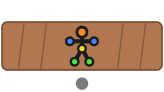 Fit Skeleton3.2Fit a template skeleton to a character mesh with viewport handles.
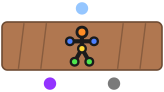 Fit Skeleton Markers1.7Fit a skeleton by dragging its joints in the front view: each starts at a guess from the character's height, knees and elbows slide on their limb, a dot per hand curls the fingers. Face (jaw, eyes, ears), Head Only, palm joints and Wrist Only hands. Out comes a character with an FK rig and the rest skeleton.New in 1.17
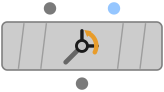 Orient Joints1.3Set joint orientations: chains of bones that aim down themselves, then single joints with a rotate handle.New in 1.18
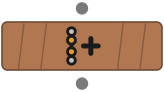 Skel Add Fit Joint2.0Add fit joints to a skeleton.
 Skeleton Doctor3.0Find and repair common skeleton problems before rigging.
 Skeleton Validator1.0Check a skeleton before it goes into a rig.
 Spline Prepper1.0Prepare a joint chain for the spline rig.
Rig Building 13
 Apex Brow Rig1.3Brows from the skin: a brow line over each eye (or picked edges), three controls and two in-betweens per brow resting on the brow and sliding over the forehead, a Squeeze slider per brow (with Unpack).TumbleTrove+New in 1.19
 Apex Ctrls2.1Set control shapes, colors, sizes and limits on rig controls.
 Apex Eye Rig3.1Eyelids from the modelled lids: lid splines from the rims, sliding over the eye, a blink that closes over the eyeball and the cornea; realistic eye pieces (sclera, cornea, iris, pupil) turn with the look (2.0, with Unpack). 1.2: cartoon eyes and lattice lids.
 Apex Follow Ctrls1.2Controls ride any deformer that moves the mesh without moving them (lattice squash, shapes, delta mush), so they stay on the mesh.New in 1.16
 Apex Helper Joints1.1Helper joints around a knee or elbow: a blend joint that takes half the bend, volume joints around the joint, and keys that push them out as it bends. Placed in the viewport on a grid on the plane of the two bones.New in 1.21
 Apex IK Chains2.20Add IK chains with FK/IK blending to the joint rig.
 Apex IK Spline1.22Spline IK with an FK/IK blend for spines, necks, tails and tentacles; one node can rig several chains.
 Apex Inverse Foot1.5Reverse foot rig with heel, toe and ball pivots, plus extra pivots (bank, swivel). Guides from points or joints.
 Apex Joints8.3Build the FK joint rig from a skeleton. The start of a TumbleRig chain.
 Apex Primitives1.7Spheres, boxes, capsules, cylinders, cones, tori and planes on their own controls, sized live in Animate: for blocking, proxies, cutters and colliders.New in 1.17
 Apex Pupil1.0Animatable cartoon pupils on any eye joint: Dot, Ring, Star, Spiral and Zigzag, each keyable from a 2D menu on the pupil control, with drag dots on the outline, iris colour, Flat to Volume and a ragged Noise. Fits each eyeball from its shapes.New in 1.22
 Apex Rig Defaults1.0Store captured poses as the rig's default offsets.
 Apex Spline6.18Spline rig: control CVs, twist, and joints sampled along a curve.
Constraints & Drivers 17
 Apex Axle1.1Two wheels on an axle: each rolls its own distance, Ackermann steering from one control. Built on Temporal.TumbleTrove+
 Apex Channels1.3Put any node setting on a control as a keyable channel, such as a deformer's Envelope.New in 1.22
 Apex Collisions1.4Keep spheres and chains on joints apart and out of colliders: a ground plane, geometry from the second input or the character stream, shapes on joints. Chains of capsules keep tentacles and tails from passing through each other, IK Spline ones too. A push moves the joint, slides it around its parent, or turns the parent.New in 1.17
 Apex Constraints2.4Maya-style aim, orient, parent, point and scale constraints.
 Apex Foot Plant1.3A walker whose feet step on their own: set the body, Step Distance, Step Time, Step Height, Lead and Gait once, then one row per foot (its leg's IK control and Home). Each foot stays where it landed until its home is too far, then steps in an arc; Step Bounce bobs the body as they land. Gaits for two, four and six legs that change with speed, feet that land on a ground and turn as they step, steps that keep up, and natural touches from a seed. Built on Temporal.TumbleTrove+
 Apex Joysticks1.6Face-board joysticks that drive blendshape channels or any port.New in 1.17
 Apex Motion Effects2.10Per-joint spring, lag and smoothing effects.TumbleTrove+
 Apex Parent1.0Parent controls to other controls with direct wiring, many pairs at once.
 Apex Rivet1.2Rivet joints to a deforming surface so props and accessories follow the skin.
 Apex Set Driven Keys1.4Set driven keys: a driver control drives corrective poses or animation.
 Apex Slide On Surface1.2Controls slide over a surface instead of leaving it: googly eyes round a head, a hand round a ball, mouth corners round the teeth.New in 1.17
 Apex Sliders2.0Deprecated: the older node for channels on controls, hidden from the Tab menu (saved scenes keep working). Use Apex Channels.
 Apex Space Switcher1.3Space switching for controls, driven by sliders.
 Apex Spring Piston1.1A spring damper that bounces behind its anchor, or a piston on a crank. Built on Temporal.TumbleTrove+
 Apex Temporal1.4Remember what a control, a curve or a shape did over the last frames, work out speed, lag, spring, build-up or smear, and drive the rig with it. Presets, Set Up for SOP Blocks.New in 1.17
 Apex Vehicle1.1A car in one node: four rolling wheels, steering, and a chassis that pitches, leans and bounces like a spring. Built on Temporal.TumbleTrove+
 Apex Wheel1.3A wheel that rolls by how far it travels (backing up rolls it back), with Measure for the radius. Built on Temporal.TumbleTrove+
Deformation 22
 Apex Blendshapes3.7Blend shapes with a shapes table, sliders, in-betweens and combos.
 Apex Bonedeform2.2GPU bone deformation of the character mesh.
 Apex Boolean1.6Per-frame mesh boolean against a cutter shape.TumbleTrove+
 Apex Deltamush1.0GPU delta mush smoothing after skinning.
 Apex Elastic Deltamush1.0Delta mush with strain-based volume correction.
 Apex Groom1.2Put a groom (guides, hair, fur) on the character so it rides the final skin in Animate.New in 1.16
 Apex Lattice1.8Lattice deformer driven by rig controls.
 Apex Peak1.0Push the mesh out along its normals on the GPU, every frame, maskable.New in 1.20
 Apex Push1.0Skin pushed out of simple shapes (an Apex Primitives sphere, capsule or box) with a soft spread, on the GPU: a lid bulging over a pupil, a tongue in a cheek.New in 1.20
 Apex Remesh1.1Rebuild the skin through a volume every frame, like Remesh to Grid: pieces fuse into one mesh. Goes last in the deform chain.TumbleTrove+New in 1.22
 Apex Shape Temporal1.2Remember what a shape's points did over the last frames: a cartoon smear that drags the trailing side, every point's speed as a mask, a History Array for a SOP Block. Presets, Set Up for SOP Blocks (wobble, stretch, squash, smear).TumbleTrove+
 Apex Shrinkwrap1.4Wrap a mesh onto a collider surface: a collar, a cuff or a sleeve sits tight on the body while the character moves.
 Apex Smooth1.1Smooth the mesh (or any point attribute) on the GPU, every frame, maskable.New in 1.20
 Apex Solidify1.1Keep regions of the mesh rigid while the rest deforms.
 Apex SOP Block1.0Run a SOP compile block inside the rig: wire its Block End into input 2 and it plays in Animate.New in 1.17
 Apex Sphere Inversion1.0Sphere inversion on the GPU, every frame: the joints you pick (Joint Pattern) become spheres sized by their scale; skin inside a sphere pushes out, skin outside it pulls in (Side picks which), with Strength, Power and a mask.TumbleTrove+
 Apex Sticky Ctrls1.2Click the skin to add a control that pulls it with a soft, paintable falloff and rides the surface.New in 1.21
 Apex Subdivide1.2GPU subdivision of the deformed mesh, with a Depth slider for the animator.
 Apex Wrap1.9Make a mesh follow a deforming driver mesh.
 Apex Wrinkles1.2Wrinkles driven by mesh compression.
 Apex Zipper3.5Zip two spline chains together, e.g. for lips.
 SOP Block In1.0Feeds a SOP Block's Block In: picks the rig stream (posed or at rest, history of P, frame and time) and stands in for it while you build.New in 1.17
Attributes 7
 Apex Attrib Math1.0Per-element attribute math on the character mesh, on the GPU.
 Apex Attribute Copy1.0Copy point attributes from one part of the character to another.
 Apex Distance Mask1.0A live mask: each point's distance to a moving shape, as a 0-1 falloff for the masked deformers.New in 1.20
 Apex Mask Primitives2.0A stack of mask shapes (Plane, Box, Sphere, Near Joints, Group) combined like image layers, each with a control you move, rotate and scale. Wire it into any Mask Geometry input.New in 1.23
 Apex Normals1.1Recompute normals on the deformed mesh.
 Apex Transfer Attribute1.0Closest-point attribute transfer between parts of the character.
 Deform Mask1.0The mask every TumbleRig deformer and Joint Capture read, as its own node: a 0-1 point attribute from geometry wired into the second input (inside it or near its surface, fading over Falloff Radius), a painted attribute, or both, with Invert and Blur.
Rig Tools 13
 Apex Attach Joint Geo1.1A shape on every bone (capsule, cylinder, cone or box), sized to the skin, built with Primitives: each shape has a control on its joint, and Ragdoll Setup can use the shapes for collision.New in 1.19
 Apex Boxit1.1Wrap any APEX graph so TumbleRig chain nodes can splice into it.
 Apex Duplicate1.2Duplicate a rig system into prefixed copies.
 Apex Merge Graph1.0Merge two rig graphs.
 Apex Merge Skel1.0Merge two parallel rigs into one character.
 Apex Procedural Start1.0Starts a character stream with no joints from the driver mesh at its rest frame, inside Apex Procedural: chain nodes such as Apex Wrap go after it, and at render time Karma feeds it the driver from the stage every frame.TumbleTrove+
 Apex Proxy2.2Switch between the full mesh and a proxy mesh while animating.
 Apex Ragdoll Setup1.4Get a character ready for the Animate state's Ragdoll tool: joint limits, a collision shape per joint fitted to the skin, and the ragdoll configuration.New in 1.19
 Apex Selection Sets1.3Selection sets and a Character Picker from templates: body parts, FK / IK, sides, face.New in 1.18
 Apex Sim Switch1.0The character's Sim switch: Scene, Start, Fwd, Live, Off or Quasi for every simulating node of this character left on Use Scene Setting (Motion Effects, Attribute History, a SOP Block), keyable. The Sim chip in Animate's footer opens its board; simulating nodes add it themselves.New in 1.17
 Apex Skeleton Output1.0Output the skeleton from the character stream.
 Apex View1.0Hide control-promotion wires when inspecting a rig graph.
 Apex Visibility2.7Animatable visibility switches for parts of the character: limbs to hide while you animate (one click in the Character Picker, FK and IK alike), and stop-motion replacement sets (mouths, brows) picked by name.
Camera 5
 Apex Camera1.4A camera rig for Scene Animate: placement, track, crane, a level pan / tilt / roll head, aim and focus targets, a rail that can follow the subject, dolly zoom, keyable lens, shot presets, composition overlays and a reference behind the lens.
 Apex Camera Lag1.2the camera body trails its move (Lag) or overshoots and settles (Spring), for position and rotation, on Temporal: steadicam, operator, whip pan, heavy crane, chase vehicle presets.TumbleTrove+Apex Camera Lattice1.1A grid on the camera's frame that bends the characters you pick as if they were a 2D drawing; they walk through it, the grid stays on the frame. Drag and key its handles in Animate (the Lattice tile sets it up in one click), with a Smooth or Linear bend.TumbleTrove+
 Apex Camera Shake1.2subtle, handheld, walk, vehicle or impact shake on a th::apex_camera lens, seeded per frame (scrub-safe), with a keyable amount.TumbleTrove+Camera Lattice Deform1.0Applies a Camera Lattice's bend to the shot's output: a Scene Invoke's shapes in, the lattice and its camera on the second input, with an Envelope. The Lattice tile puts one after every Scene Invoke for you.TumbleTrove+
Capture 7
 Apex Skinning2.0Skin the character mesh to the rig's skeleton.
 Capture Blur1.2Smooth capture weights across the mesh, in a group or where chosen joints weigh, faded by a mask.
 Capture Merge1.0Merge the capture weights of many capture nodes: each point keeps the weights of the input that captured it.New in 1.14
 Capture Transfer1.0Copy capture weights from one piece or mesh onto another, then blur them.New in 1.19
 CUDA Joint Capture1.3Compute capture weights from a skeleton on the GPU.
 Joint Cages1.0Capture cages per joint, editable as animate-state handles.
 Skin Layer1.0Layered capture weights.
Shapes 3

Utilities 15
 Apex Animation Filters1.0Clean up animation below a Scene Animate: smooth out jitter, turn near-stops into held poses, make ups and downs bounce, thin the keys. Live Record's Clean filters, for any keys.TumbleTrove+
 Apex Animation Noise2.2procedural noise as keys on an animation layer: breathing, idle sway, tremor, handheld, wobble. Ramps along each chain like Rig Noise. Goes below a Scene Animate; the curves show in the Animation Editor, the layer mutes and blends in the Animation Layers pane, and Copy and Loop Animation take it along. For noise that keeps running on a parked frame or moves joints after IK, use Apex Rig Noise.TumbleTrove+
 Apex Copy Animation1.2Copy one character's animation from another Scene Animate into this stream, for all of its controls and channels or only the ones you pick, in its own keys or on a new layer with a blend amount, with a time offset. Scene Animates added after it keep the copy.TumbleTrove+
 Apex Crowd1.0Tens of characters on points playing and blending clips from one Scene Animate, each at its own time, speed and size, without the crowd setup. Promote any agent to a hero you animate by hand.TumbleTrove+
 Apex Loop Animation1.1Repeat a character's Scene Animate keys: animate one cycle and get as many as you want, with Ping-Pong and Travel for walks. Edit the cycle and every repeat follows.TumbleTrove+New in 1.22
 Apex Mocap to Controls (Beta)1.1Beta: put a mocap clip or any animated biped skeleton (FBX, BVH, Mixamo, CMU, Unreal Mannequin) onto a character's controls as keys you can edit, on a new animation layer. The character's joints are found from its joint chains; arms and legs get their FK/IK switch keyed, and the keys are thinned.
 Apex Procedural1.0Runs a TumbleRig chain at render time, per frame, inside Karma.TumbleTrove+
 Apex Rig Noise1.4procedural noise on what a character's controls drive: breathing, idle sway, tremor, handheld, wobble. One keyable Amount per row, ramps along each chain so a wave travels down a tentacle or tail, the same on every play and scrub, loops for cycles, and bakes to a layer for hand edits.TumbleTrove+
 Chain Name Resolver1.0Resolve chain names from joint names.
 Ctrl Shapes1.0Control shape library for rig controls.
 Edges to Curves1.0Convert mesh edges to curves.
 Mirror Position1.0Mirror point positions across the character.
 Name From Path1.0Set the name attribute from the path attribute.
 Selection Pattern1.1Shared selection by group pattern, attribute or joint tags.
 Set Path From Ref1.0Set the path attribute from a reference.
Example characters 3
 Apex Rig Example Figure1.3A mannequin biped to pose and test on: FK/IK arms and legs, reverse feet, primitives or one skinned mesh with face shapes.New in 1.17
 Apex Rig Example Noodle1.7A complete rigged character (Noodle Boi) to take apart.
 Apex Rig Example Spider1.1A Daddy Long Legs that chases the fly and walks itself: move the fly and the spider follows, its eight legs stepping on their own.New in 1.17
Verbs 27
 ARAP Deform1.0As-rigid-as-possible deformer.GPU
 CUDA Attrib Transfer1.0GPU closest-point attribute transfer. Wrapped by Apex Transfer Attribute.GPU
 CUDA Attribute Copy1.0GPU attribute copy. Wrapped by Apex Attribute Copy.GPU
 CUDA Attribute Math1.0GPU attribute math. Wrapped by Apex Attrib Math.GPU
 CUDA Bone Deform1.0GPU bone deformation. Wrapped by Apex Bonedeform.GPU
 CUDA Delta Mush1.0GPU delta mush. Wrapped by Apex Deltamush.GPU
 CUDA Distance from Geometry1.0GPU Distance from Geometry: distance and a falloff mask to another shape, every frame; the same result as the Distance from Geometry SOP.New in 1.20GPU
 CUDA Geo Merge1.0Merge geometry on the GPU.GPU
 CUDA Lattice1.0GPU lattice deformation. Wrapped by Apex Lattice.GPU
 CUDA Noise1.0GPU noise deformation.GPU
 CUDA Normals1.0GPU normals. Wrapped by Apex Normals.GPU
 CUDA Peak1.0GPU Peak: moves points along their normals, the same result as the Peak SOP.New in 1.20GPU
 CUDA Register Positions1.0Register point positions with the GPU cache.GPU
 CUDA Rivet1.0GPU surface rivets. Wrapped by Apex Rivet.GPU
 CUDA Shrinkwrap1.0GPU shrinkwrap. Wrapped by Apex Shrinkwrap.GPU
 CUDA Smooth1.0GPU smoothing of P or any point attribute, maskable by a weight attribute; the same result as the Attribute Blur SOP.New in 1.20GPU
 CUDA Subdivide1.0GPU subdivision. Wrapped by Apex Subdivide.GPU
 CUDA Wrap1.0GPU wrap deformer. Wrapped by Apex Wrap.GPU
 CUDA Wrinkles1.0GPU wrinkles. Wrapped by Apex Wrinkles.GPU
 Elastic Delta Mush1.0Elastic delta mush. Wrapped by Apex Elastic Deltamush.GPU
 Follow Frames1.0Fits how the surface around each control moved. Used by Apex Follow Ctrls.New in 1.16
 Follow Sample1.0Binds each control to the surface points around it at rest. Used by Apex Follow Ctrls.New in 1.16
 Lean Strip1.0Strip static attributes from the animation stream.
 Match Visibility1.0Copy hidden prims from a live stream onto a rebuilt copy. Used by Apex Wrap.New in 1.13
 Primitives1.0Builds and places the shapes of Apex Primitives: one point grid per sphere, box, capsule, cylinder, cone, torus, plane or tube, so a size, round or taper change only moves points. Used by Apex Primitives.New in 1.17
 Rig Edit Cache1.0Reuses a rig edit's result while nothing it reads changed (inside every rig asset).
 Visibility1.0Visibility switching. Wrapped by Apex Visibility.
Wobl 5
Wobl1.1A soft body that jiggles, simulated inside the rig.TumbleTrove+Wobl Configure1.1Sets a shape up for Wobl: a soft body (tets), a strand or (1.1) a cloth, with its material and mass.TumbleTrove+Wobl Flesh Map1.0Works out from the skeleton where a Wobl piece jiggles.TumbleTrove+Wobl Follow Joints1.0How hard each point of a Wobl piece follows its joints.TumbleTrove+Wobl (KineFX)1.1A soft body that jiggles on a KineFX character, in SOPs.TumbleTrove+