Tools / TumbleRig / Capture / Nodes
Capture Blur
Smooths boneCapture weights over the mesh.
- Access
- Free
- Node version
- 1.2
- Package
- TumbleRig
- Houdini
- 22.0+
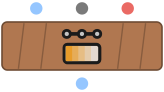
Overview
Blurs the capture weights on the incoming geometry, like a Smooth SOP run on the weights. Use it after a capture node to soften hard weight borders.
The capture weights are drawn in the viewport while you are inside the network (Visualizers tab, same as CUDA Joint Capture).
Parameters
Group
Points whose capture weights are blurred. The blur only sees these points, so weights from outside the group do not bleed in. Empty blurs every point.
Strength
How far the weights spread across the surface. 0 leaves them unchanged.
Mask Attribute
Point float attribute (0 to 1) that fades the blur in per point: 1 takes the blurred weights, 0 keeps the incoming ones. Empty blurs every point in the Group.
Inputs and outputs
Inputs
Captured Geometry
Mesh carrying a boneCapture point attribute.
Version notes
- Node cache before every Output of 96 assets: a reopened scene reads a node's result without cooking what is above
- Capture Blur 1.2: Group's dropdown lists primitive groups and named pieces, and Group selects them
- Mask from Mask Geometry on the GPU: deform_mask's Distance from Geometry is th::cuda_distance_from_geometry, and Joint Capture / Capture Blur measure only their Group
- Capture Blur 1.2: Blend works with the mask on and no mask source
- Release 1.22.0: Add Mask Shapes button off for this release (21 HDAs)
- Capture Blur 1.0-1.2: the capture-weight colours no longer turn the mesh black
- Add Mask Shapes button off for this release (Mask Primitives still held)
- Release 1.21: Sticky Controls ships; Mask Primitives, Eye Rig 3.0 and Brow Rig 1.2 held, Add Mask Shapes button off for this release
- Capture Blur 1.2: Mask Geometry input red, Skeleton grey (both colour layers)
- Mask Primitives: its viewport tool (a control per shape, own grips, Tool Panel) and Add Mask Shapes on the nodes with a Mask Geometry input
- Capture Blur 1.2: the blur works again with the mask off
- Capture Blur 1.2: its own tool, Joints picked by chain, one-joint weights, Mask Geometry input