Tools / TumbleRig / Deformation / Nodes
Apex Zipper
Closes two spline chains onto each other, like lips zipping from the corners.
- Access
- Free
- Node version
- 3.5
- Package
- TumbleRig
- Houdini
- 22.0+
Overview
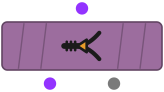
Chain A and Chain B name two chains of the incoming rig (the labels next to them show how many joints each matches). Blend moves them toward a target between them; Zipper turns the even blend into a ramp from the corners, shaped by the Corners settings. Animator Sliders put any of these on existing controls.
Inputs and outputs
Inputs
Character Stream
The packed character stream with both chains.
Outputs
Character Stream
The stream with the change built into the rig.
Recipes
Version notes
- Batch A families: the empty settings helpers of their compiled builders no longer cook (21 builders)
- Compiled-only rollout, batch A (assets and graphs): the 20 asset versions of b79707d49 run their main script compiled
- Node cache before every Output of 96 assets: a reopened scene reads a node's result without cooking what is above
- Apex Zipper 3.5: l_ / r_ corner names and a Mirror setting (Scale / Rotate / Off)
- Apex Zipper 3.5: cj_switch is a Switch-If test (rule time-dependence/switch-expression)
- Apex Zipper 3.5: left / right corner controls follow the skeleton's side names
- Apex Zipper 3.5: Corner Joints for New Controls; menu tokens are positions
- Apex Zipper 3.5: Corner Controls (hide the stacked lip end controls, or build named corner controls)
- Apex Zipper 3.4: settings are channels, no pucks, Convert to Channels for old rows
- Display tap: switchif_viz reads has_viz_shp without an expression, in every asset
- Pose store frame 1001: no more time-dependent Show Invoked branch
- Zipper 3.3: find an Animator Sliders control that hosts channel sliders