Brow Rig
Brows you can act with.
Brow controls built from the character's own skin, placed in the front view, added before the skinning.
Part of TumbleTrove+
Brow Rig comes with TumbleTrove+, with every other bundle. Needs TumbleRig, which is free; it installs with the bundle.
What you can make
Surprise, doubt, a frownRaise one brow and knit the other. Every control moves on its own, and a Squeeze channel per brow pulls the inner end toward the middle.
Brows that bend as they liftEach brow is a spline with three controls and two in-between ones, laid out like mGear's brow. Lifting bends the line along its length.
Brows that stay on the foreheadThe brow controls slide over the skin as they move, so a raised brow stays on the forehead instead of floating off it.
Place your own brow lineIn the front view, drag an inner end, a peak and an outer end for each brow. Or pick edges you already have on the skin.
In the viewport. Place Brows works in the front view: drag the inner end, peak and outer end of each brow, and a ring marks one you have not placed yet.
Recipes to open in Houdini
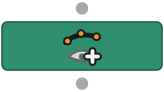
The node
New lately
- Brow Rig runs on the newest Apex Spline, Slide on Surface and Blendshapes, and the brows move as they did in 1.2.
- You place the brows in the front view by dragging an inner end, a peak and an outer end for each one.
- Brow lines stay on the skin when Eye Rig 3.0 made the lids, so a lid shape cannot break the rig.
Get Brow Rig
Part of TumbleTrove+
Brow Rig comes with TumbleTrove+, with every other bundle. Needs TumbleRig, which is free; it installs with the bundle.
I have TumbleTrove+. Do I need to buy this?
No. TumbleTrove+ includes every bundle, Brow Rig too.