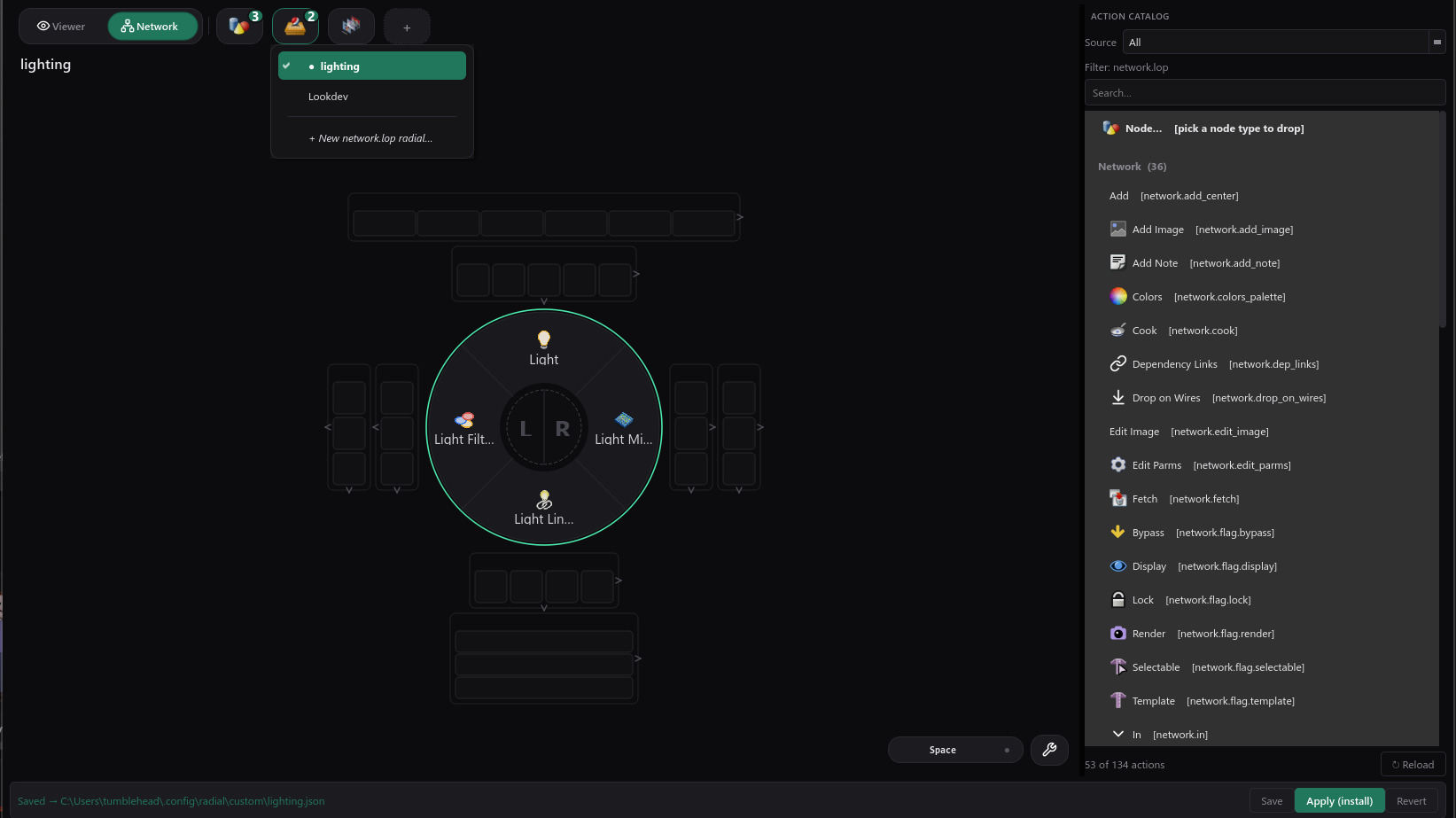
Radial is a context-aware radial-menu system for Houdini. Press Space and a circular menu opens right under your cursor — Radial detects whether you are over a 3D viewport or a SOP/LOP network editor and shows the menu that fits.
It ships with menus for the viewport and for the SOP, LOP, and network-editor contexts, resolved through a dot-separated fallback chain so you can be as specific or as general as you like. Each menu has a main ring plus six directional zones, a drawer, a menubar, a center item, and nested submenus, with tap, latch, and activate-on-release behaviour.
The Radial Menu Builder python panel lets you author your own menus visually, with no Python required — menus are saved as JSON and auto-load on the next session. For scripters, registering a menu is a single call, and the place_node helper uses Houdini's own ghost preview and auto-connects to the current selection.
Radial is self-contained: it vendors the small shared UI helpers it needs, so it installs and runs on its own. Installed alongside the TumbleTrove package, it adds itself to the main menu bar automatically. Pure Python, Houdini 21 and up.
Radial menus for Houdini
Created by TumbleTrove

